You paste text from ChatGPT, Claude, or Gemini into a document, and something feels off. The words are yours, but the formatting carries invisible markers that AI detectors flag. That is the real problem: not the writing itself, but the hidden characters riding along with it.
After reading this, you will know exactly how to remove AI watermark from text using a free browser-based tool that strips those invisible characters in seconds. No accounts, no uploads, no guesswork.
What is the fastest way to remove an AI watermark from text?
Paste your text into a dedicated watermark removal tool like AI Watermark Remover and click the scan button. The tool detects invisible Unicode characters (zero-width spaces, joiners, and em dashes) that ChatGPT, Claude, and Gemini embed as watermarks, then removes them in under 30 seconds.
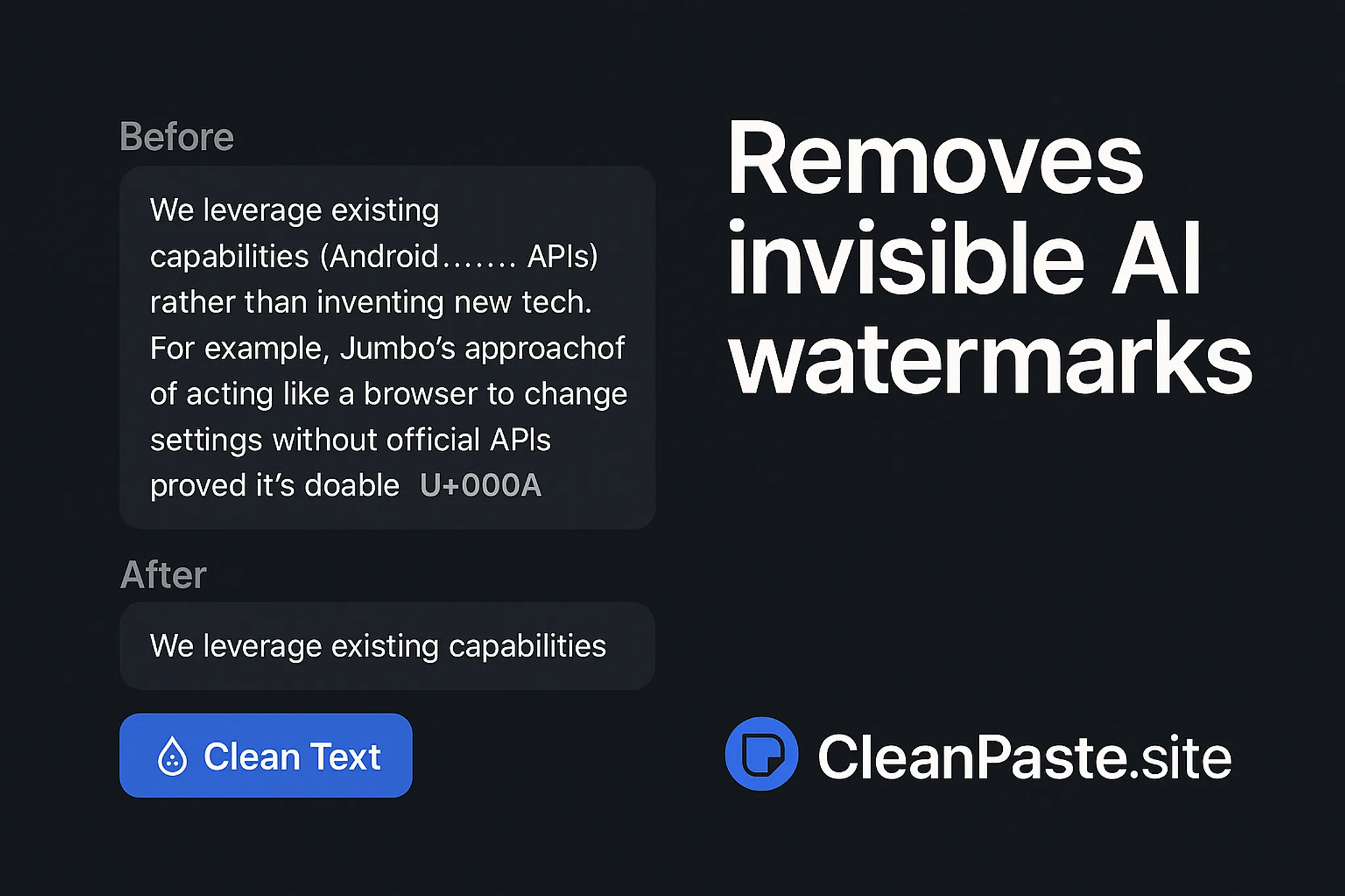
For a manual alternative, copy the text into a plain-text editor or use a site like Clean Paste to strip hidden characters, though this takes longer and may miss some watermarks.
Before you start: what to have ready
You need three things before you run your first scan. A ChatGPT, Claude, or Gemini account to generate the text you want to check. A browser tab open to AI Watermark Remover (the tool runs entirely client-side, so no sign-up needed).

How to remove an AI watermark from text in 5 steps
You have your text copied and your browser open. Here is the exact workflow.
- Open AI Watermark Remover in your browser: Navigate to the tool's homepage. No account, no login, no payment needed. The page loads a single text area and a scan button. That is the entire interface.
- Paste your text into the input box: Copy the full text from ChatGPT, Claude, or Gemini and paste it into the large text area. Paste everything including any formatting. The tool processes text entirely in your browser, so nothing leaves your machine. Your privacy is protected as described in the privacy policy.
- Click the "Scan" button: The tool immediately checks every character in your text for invisible watermark characters like zero-width spaces, zero-width joiners, and em dashes. The scan completes in under a second for a typical paragraph. You see a count of how many hidden characters were found.
- Review the cleaned output: The tool displays your text with all detected watermark characters removed. The visible text looks identical to the original because the removed characters were invisible. You can copy the cleaned version directly from the output box.
- Paste the cleaned text where you need it: Use the output anywhere a document, email, or platform. The invisible watermark is gone. No detection tool will flag it as AI-generated based on those hidden characters.
One common mistake: pasting text that has already been edited or partially cleaned. Always paste the raw output from the AI tool for the most reliable scan.
Watermark removal checklist: verify your text is clean
Run through this table after you scan your text. Each row is a pass/fail check you can confirm in under 10 seconds.
| Task | Why it matters | Done |
|---|---|---|
| Paste the scanned text into a plain-text editor (Notepad, TextEdit in plain mode) | Reveals any remaining zero-width characters that a rich editor hides | |
| Highlight the full document and check the character count matches the visible word count | A mismatch means invisible characters are still present | |
| Copy the cleaned text back into AI Watermark Remover and click scan again | Confirms the removal was complete; the tool should report zero watermark characters found | |
| Read the first and last sentence aloud | Catches awkward phrasing or broken words that a homoglyph replacement might have introduced | |
| Check the text in a second browser or device | Ensures no browser-specific rendering is hiding a leftover character |
One more thing: if you plan to publish the text, run it through a grammar checker too. The watermark removal itself is clean, but the original AI output sometimes carries repetitive sentence structures that a second pass can smooth out.
The one case where a manual pass still matters
> "To remove unicode homoglyph watermarking, you simply have to replace all the homoglyphs with their 'real' character equivalents."
That quote from Sean Goedecke's analysis captures the core mechanic, but it misses one edge case. If your AI-generated text contains intentional misspellings or stylized punctuation (like a brand name written in all-lowercase), a bulk character replacement can flatten those back to standard forms. The fix: scan first, then spot-check any proper nouns or deliberate formatting before you hit clean.
How to remove an AI watermark from an image online
The fastest way to remove an AI watermark from an image is to use a dedicated online tool that strips hidden metadata. AI Watermark Remover handles both text watermarks and file metadata cleaning for images and documents in your browser, so nothing gets uploaded to a server. Paste your image file or drag it into the tool, click scan, and it strips invisible provenance data like C2PA, EXIF, IPTC, and XMP markers.
The whole process takes about 30 seconds and runs entirely client-side for privacy.

How to remove watermark photoshop?
If you need to remove an AI watermark from an image, Photoshop is not the right tool for the job. Photoshop handles visible watermarks (logos, text overlays) using clone stamp or content-aware fill, but it cannot detect or strip invisible Unicode watermarks like zero-width spaces or homoglyphs embedded in text. For that, you need a dedicated text watermark remover such as AI Watermark Remover that scans the raw characters directly.
Sources and references
The methods in this guide are backed by public discussions and tools from the AI watermark removal community:
- r/studytips on Reddit – community testing of invisible watermark detection and removal
- GetGPT watermark tool – documentation of 34+ invisible Unicode characters used as AI watermarks
- Clean Paste – practical demonstration of hidden metadata removal from AI text
Frequently asked questions about removing AI watermarks from text
How to remove watermark from image online?
The fastest method is to use a dedicated online tool that strips hidden metadata from image files. AI Watermark Remover handles both text and image watermark removal in your browser, processing everything locally so your files never leave your device.
How to remove watermark photoshop?
Photoshop can strip invisible Unicode watermarks from text, but it is not the right tool for the job.
What invisible characters do AI tools use as watermarks?
ChatGPT, Claude, and Gemini embed zero-width spaces (U+200B), zero-width non-joiners (U+200C), zero-width joiners (U+200D), and em dashes (U+2014) as invisible watermark markers. These characters take up no visible space but detection tools can count them.
Can I remove AI watermarks manually without a tool?
Yes, but it is impractical for anything longer than a sentence. You would need to paste the text into a Unicode inspector, identify every invisible character by its code point, delete each one, and verify none remain. A dedicated tool like AI Watermark Remover automates this entire process in under a second and gives you a count of removed characters so you know the text is clean.
Your next step: clean text, clean conscience
For most people, AI Watermark Remover is the fastest path from pasted text to clean copy. It scans for invisible Unicode characters, removes them in one click, and runs entirely in your browser so nothing leaves your machine.
The only reason to choose differently is if you need to strip watermarks from images or PDFs. In that case, a metadata-cleaning tool or a manual find-and-replace in Photoshop is the right move. For text, the dedicated tool wins every time.