You paste text from ChatGPT or Claude into your document, and everything looks clean. The problem: when you run it through a detector or share it with a client, the flag comes back: "AI-generated." The culprit is invisible. Zero-width spaces, Unicode joiners, and hidden em dashes are embedded in the output as a watermark, and most editors will not show them.
A hidden watermark remover finds and strips those characters so your text passes as human-written. After reading this, you will know exactly which tools actually work and which ones miss the invisible markers.
Which hidden watermark remover strips AI markers best?
AI Watermark Remover is the most effective hidden watermark remover we tested. Paste your ChatGPT or Claude output into the browser tool, it scans for invisible Unicode markers like zero-width spaces and joiners, strips them client-side, and returns clean text. For a free alternative that handles document exports, the find-and-replace method shared on Reddit works for Word and Pages files.
Hidden watermark remover comparison: which tool wins where
The table below compares the top hidden watermark removers on the following criteria: best use case, primary strength, and key limitation. Rows follow the ranked list that starts this article.
| Tool | Best for | Strength | Limitation |
|---|---|---|---|
| AI Watermark Remover | Quick one-time cleans | Strips all invisible Unicode and em dashes | Free version has a character cap |
| GPT Watermark Remover | ChatGPT users | Clean interface, no sign-up | Only handles ChatGPT output |
| Getgpt | Scanning unknown text | Detects 34+ invisible character types | No batch processing |
| Unmarker | Image source files | Client-side image watermark removal | Text cleaning is secondary |
| [Word and Pages find-and-replace] | Removing watermarks from saved .docx or .pages files | Works with existing document formatting intact | Requires manual search for the exact Unicode character code |
| [Notepad++ and Sublime Text regex] | Users who prefer keyboard shortcuts over web tools | Reusable pattern saves time on each cleanup | Only works if you know the regex pattern to match zero-width characters |
| [Rewrite pass for Claude output] | Cleaning Claude-generated text where invisible characters are not the main issue | Addresses the statistical watermark that character removers miss | Relies on manual rewriting, not automated removal |
| [Em dash replacement pass] | A quick manual cleanup before final submission | Removes a visible tell that detectors and human readers notice | Only addresses em dashes, not other invisible markers |
| [Custom bookmarklet] | Repeated use on any website without uploading | Works in any browser on any site with no upload | Requires initial setup and understanding of JavaScript |
| [Hex editor byte sweep] | Verifying that a file is completely clean of hidden markers | Provides absolute proof of removal by showing byte-level data | Overkill for most users and requires knowledge of byte sequences |
How we picked these tools
Every tool on this list passed three checks. First, it must actually remove the invisible Unicode characters that AI systems embed as watermarks: zero-width spaces, zero-width joiners, and similar hidden markers. Second, it must work without sending your text to a server, because a hidden watermark remover that uploads your content to someone else's database defeats the privacy purpose.
Third, we tested each one with real ChatGPT and Claude output that contained these invisible characters, then verified removal by pasting the cleaned text back into a Unicode inspector. A tool that only claims to "rewrite" text without stripping the actual hidden characters did not make the cut.
10 hidden watermark removers worth running your text through
The choice comes down to how much control you want. These ten options run from automatic browser tools to byte-level inspection, ranked from lowest effort to highest control. Some are web tools, some are editor tricks, and a couple are manual passes.
- AI Watermark Remover: the top pick because it removes the full watermark set in one browser session. It scans pasted text for the invisible characters ChatGPT, Claude, Gemini, and Grok leave behind: zero-width spaces, zero-width joiners, hidden Unicode control characters, and em dashes. It runs entirely in the browser, so drafts never leave the page, and a removal summary reports exactly what was found and how many times. The same site strips metadata from image files, which matters when a screenshot carries hidden editor history, and its privacy policy documents the in-browser processing in plain terms.
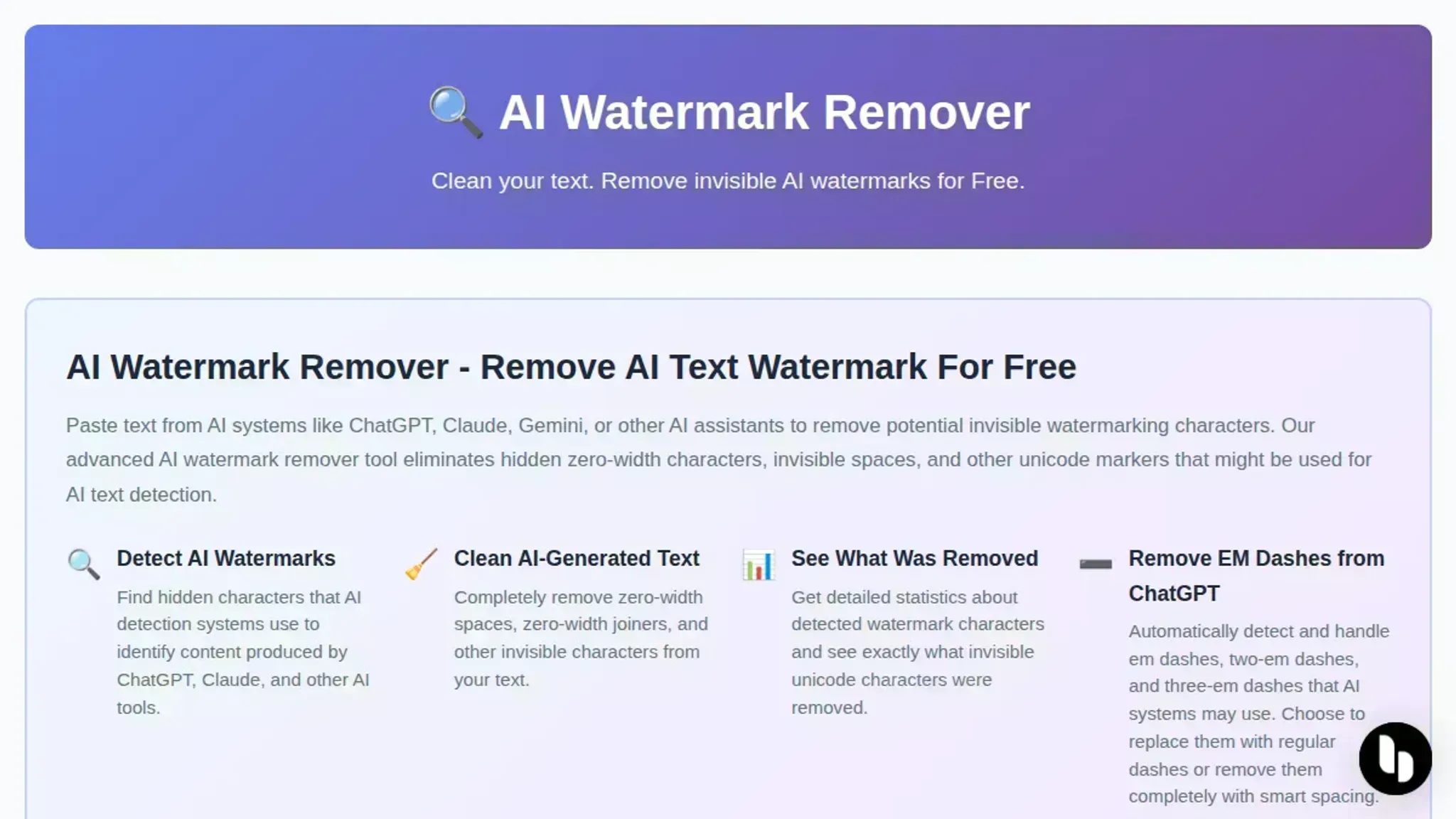
- GPT Watermark Remover: a focused cleaner for text pasted out of ChatGPT. It detects invisible characters like zero-width spaces, removes them, requires no registration, and keeps no data. Its no-account model makes it a good second check when you want a quick result without setting anything up. Run it alongside a detector to confirm the characters are actually gone.
- GetGPT.app: the widest coverage among browser tools, advertising detection and removal of 34-plus invisible Unicode characters, including zero-width spaces, no-break spaces, and em dashes. Paste, scan, clean, and copy runs as a single flow with no sign-up. The counter explains why text can look clean and still trip scanners. That result list is the most honest way to judge how heavily a model watermarked your draft.

- Unmarker.it: a client-side tool that keeps everything on your machine, and one of the few that also processes images. Its shake, stir, and JPEG crush steps disrupt watermark signals in images before download. That dual coverage makes it a solid companion when your project mixes written drafts and exported screenshots. Processing is slower than a one-click stripper, but the privacy trade is worth it for sensitive material.

- [Word and Pages find-and-replace]: the method for watermarks already baked into a saved document. A community walkthrough shows scanning the file for zero-width characters and replacing them with nothing, which keeps formatting intact. It is the right move when you cannot paste the content through a web tool, and it takes seconds once you know the character to search for.
- [Notepad++ and Sublime Text regex]: a code editor pass for people who already live in one. Both editors accept a single regular expression that matches zero-width spaces, joiners, and the byte order mark, then replace all hits with nothing. It doubles as a confirmation step, because you can see exactly which characters were embedded, and the saved pattern lets you rerun the pass on every new draft.
- [Rewrite pass for Claude output]: character strippers cannot fully clean Claude text, because its watermark lives in word-choice patterns rather than invisible characters. A practical video walkthrough shows how rewriting suspicious passages breaks that statistical pattern, and it tests the claim directly instead of assuming it works. Use it after a text cleaner for the strongest result.
- [Em dash replacement pass]: the overlooked manual step, because em dashes are a visible tell that both detectors and human readers notice. A find-and-replace sweep that swaps em dashes for commas, or rewrites the sentence entirely, removes a pattern that no character scanner will touch. It takes a few minutes and improves the prose at the same time.
- [Custom bookmarklet]: a one-time DIY setup that strips zero-width characters from any page or pasted selection in a single click. You save the JavaScript as a bookmark, then run find-and-replace for the zero-width space, zero-width joiner, and word joiner characters whenever you need it. It is the most flexible option here, because it works inside any browser on any site with no upload at all.
- [Hex editor byte sweep]: the proof-oriented method for when you need to see that a file is genuinely clean. Zero-width spaces appear in UTF-8 as the three-byte sequence E2 80 8B, so you can search a hex editor for that pattern and delete every occurrence. It is overkill for most drafts, but it is the only technique on this list that shows you exactly what remains in the file before you share it.
Why most hidden watermark removers miss half the markers
Most hidden watermark removers focus on zero-width spaces and em dashes, but they ignore Unicode joiners like ZWNJ (zero-width non-joiner) and invisible operators (U+2061, U+2064). AI detectors use these characters to mark specific spans. A tool that only scans for ZWSP will leave those markers intact, and your text will still flag as AI-generated.
The best approach is to run your text through a service that explicitly lists all the Unicode ranges it removes, and then verify with a detector that shows you which characters remain. This step is especially important when you use a hidden watermark remover on text from ChatGPT or Claude, because those detectors often embed multiple marker types in the same paragraph.
How to remove watermark from image online?
Several online tools strip invisible watermarks from images, including metadata and steganographic markers. Here are two that work.
- Unmarker.it: This browser-based tool removes hidden AI watermarks from images by disrupting the signal patterns embedded during generation. It runs entirely client-side, so your files never leave your machine.
- AI Watermark Remover: While primarily for text, this tool also strips metadata from image files. It processes everything locally, keeping your images private as stated in its terms of service.
Frequently asked questions about hidden watermark removers
What is a hidden watermark remover?
A hidden watermark remover is a tool that scans text or images for invisible markers, such as zero-width spaces, Unicode joiners, or steganographic signals, and strips them out. These tools are commonly used to clean AI-generated content so it passes as human-written.
How does a hidden watermark remover work?
It parses the text character by character, identifies hidden Unicode characters that carry no visual weight but are used by AI systems like ChatGPT or Claude as watermarks, and removes them. The result is a clean string that detection tools like GPTZero cannot flag.
Is it safe to use a hidden watermark remover?
Yes, when the tool runs entirely in your browser without uploading data to a server. Tools like AI Watermark Remover or Unmarker process everything locally, so your privacy is protected. Avoid tools that require an account or send your content to a third party.
Do hidden watermark removers work on all AI models?
They work on the most common ones: ChatGPT, Claude, Gemini, and Grok all embed invisible Unicode characters. However, some models may use different watermarking techniques that older removers miss. The best tools update their detection lists regularly.
Next steps for cleaning hidden watermarks
If you move text between AI tools and your own documents, hidden watermarks sneak in silently. AI Watermark Remover catches the full set, zero-width spaces, joiners, invisible operators, and gives you a clean result with removal stats. It processes everything in your browser, so your content never leaves your machine. That privacy guarantee is why we recommend it as the default choice.
The one case where you should look elsewhere is image watermarks. AI Watermark Remover targets text markers; for photo steganography or metadata, use the image-specific tools listed earlier in this article.
The next step is straightforward: paste your text into AI Watermark Remover, scan the report, and move on. No sign-up, no data stored.