You are staring at a stack of AI-generated study guides, essay drafts, and lesson plans, and you know they work better when they don't read like a robot wrote them. The problem is that invisible watermarks hidden inside that text can make it feel stiff, trigger AI detectors, or just feel wrong for a fresh September start.
After reading, you will know exactly which method fits your back-to-school workflow and how to clean your text in under a minute using AI Watermark Remover.
What is the fastest way to remove AI watermarks for back-to-school work?
The fastest direct answer is to use a dedicated AI watermark remover like AI Watermark Remover, which strips invisible watermarks from ChatGPT, Claude, Gemini, and Grok text in seconds with no manual cleanup. Paste your AI-generated study guide or lesson plan into the browser-based tool, click process, and the zero-width characters and Unicode markers are gone instantly.
Manual editing works for short passages but becomes impractical when you are preparing a full semester's worth of materials, because hunting for hidden characters by eye takes 10-15 minutes per page and still misses some.
Manual editing vs. AI watermark removal: compared side by side
The two real options for cleaning AI watermarks from back-to-school text are manual editing and a dedicated AI watermark remover. They compare on three criteria: time per document, detection accuracy, and what you lose in the process.
| Option | Best for | Strength | Limitation |
|---|---|---|---|
| Manual editing (find and delete zero-width characters by hand in a text editor) | One-off use with a single short paragraph | Zero tool dependency; you control every deletion | Takes 5-15 minutes per page; easy to miss invisible characters; no confirmation you caught them all |
| AI watermark remover like AI Watermark Remover | Batch processing of study guides, essay drafts, and lesson plans | Scans and removes all invisible markers in under 10 seconds; shows a removal count so you know it worked | Requires internet access; free tier handles single documents well |
The deciding factor is usually volume. If you are cleaning one short paragraph for a single assignment, manual editing works. If you have a stack of AI-generated notes, outlines, and drafts for the semester, the time difference adds up fast: a tool that processes each document in seconds versus fifteen minutes of hunting for invisible characters by hand.

When to choose manual editing vs. a dedicated remover
The choice depends on how much text you are cleaning and how often. Manual editing works when you have a single paragraph to rewrite in your own voice. You scan for awkward phrasing, swap synonyms, and restructure sentences. It takes five to ten minutes per short passage and costs nothing but your time.
It also gives you full control over the final wording.
A dedicated AI watermark remover like AI Watermark Remover is faster when you process multiple documents. Paste your text, click the button, and the tool strips invisible watermarks like zero-width characters and Unicode markers in seconds. The trade-off is that you trade a few seconds of manual work for the confidence that every hidden marker is gone. For a semester of weekly essays or lesson plans, that speed adds up fast.

How they compare across the criteria that matter
Speed and time savings
Manual editing means reading every sentence and replacing invisible watermark characters by hand. A single paragraph of AI-generated text might contain five to fifteen zero-width characters, each one invisible to the naked eye. Finding them requires pasting the text into a hex editor or a character inspector, scanning for Unicode codepoints like U+200B (zero-width space) or U+2060 (word joiner), and deleting each one individually.
For a 500-word essay, that process takes ten to fifteen minutes on a first pass, and you will still miss some.
A dedicated AI watermark remover like AI Watermark Remover scans the entire text in under a second and removes every invisible watermark in one click. The tool runs entirely in your browser, so there is no upload delay or file transfer. Paste your text, click the button, and the cleaned version appears with a count of how many markers were stripped. For the same 500-word essay, the total time is about five seconds.
Verdict: Manual editing for speed is not a real option. The dedicated remover wins by a factor of roughly 180x on time.
Accuracy and completeness
Manual editing has a fundamental blind spot: you cannot see what you are looking for. Zero-width characters are invisible by design. Even with a hex viewer, it is easy to miss a single U+200B between two letters, especially in longer documents. A missed watermark means the text still carries detectable AI markers, which defeats the purpose.
The dedicated tool uses a detection algorithm that enumerates every known invisible watermark character across the Unicode standard. It catches zero-width spaces, zero-width non-joiners, zero-width joiners, word joiners, function spaces, and the newer invisible markers that models like Claude and Gemini have started embedding. The removal report tells you exactly how many characters were found and what type they were, so you can verify the result.
Verdict: Manual editing leaves gaps. The dedicated remover catches everything in one pass.
Privacy and data handling
Manual editing keeps everything on your own machine. You never paste text into a third-party website, never send data over a network, and never wonder what happens to your content after it is processed. For sensitive material like unpublished research, graded assignments, or proprietary lesson plans, that control matters.
The dedicated remover processes text entirely in the browser using JavaScript. No text is sent to a server, stored, or logged. The site's privacy policy confirms that content never leaves your device. This is the same architecture as tools like Clean Paste, which also processes text client-side.
The practical difference is zero: both approaches keep your data local.
Verdict: Tie. Both options keep your text private, as long as you choose a browser-based remover.
Learning curve and setup
Manual editing requires knowing what a zero-width character is, how to spot one, and how to delete it without breaking the surrounding text. If you have never used a Unicode inspector or a hex editor, you will spend twenty to thirty minutes just learning the workflow. The first few documents will take longer and produce worse results.
The dedicated remover has no learning curve. Open the site, paste your text, click the button. That is the entire workflow. There is no account to create, no software to install, and no configuration to tweak.
The terms of service are straightforward: use the tool as-is for free, with optional upgrades for batch processing if you need them.
Verdict: Manual editing demands specialized knowledge. The dedicated remover works immediately.
Volume handling
Manual editing does not scale. Each document requires the same painstaking scan-and-delete cycle. If you are cleaning ten student essays, a syllabus, and a set of discussion prompts for the first week of school, you are looking at two to three hours of tedious work.
The dedicated remover handles any amount of text in the same few seconds. Paste a paragraph or paste an entire chapter, the processing time is essentially identical. For batch work, the tool offers an upgrade path that lets you process multiple documents in sequence without re-pasting each one.
Verdict: Manual editing breaks down at volume. The dedicated remover handles any document size with no extra time.

Where each approach wins and loses
Neither manual editing nor a dedicated AI watermark remover is perfect for every back-to-school scenario. The table below lays out the concrete pros and cons of each so you can match the method to your actual workload.
| Criterion | Manual editing | Dedicated AI watermark remover |
|---|---|---|
| Speed per document | 5-15 minutes for a 500-word page, hunting for invisible characters | Under 10 seconds for the same page |
| Reliability | High for visible errors; easy to miss zero-width characters you cannot see | Catches every invisible watermark character automatically |
| Learning curve | None; you already know how to delete and retype | Near zero; paste text and click one button |
| Consistency across documents | Varies with your attention level and fatigue | Identical results every time |
| Privacy | Fully offline; no data leaves your computer | Runs in your browser; no text is stored on any server |
| Price | Free (your time only) | Free for basic use; paid plans for batch processing |
| Best for | A single short paragraph you want to proofread anyway | Multiple pages, study guides, or lesson plans at once |
The biggest pro for manual editing is that you catch content issues while you clean. The biggest con is that you will miss invisible watermark characters you cannot see, and the time adds up fast when you have a syllabus, three assignment sheets, and a study guide to prepare. A dedicated remover trades that hands-on review for speed and completeness, which matters more when the clock is running toward the first day of class.

Which workflow fits your September routine
The right choice depends on how much AI-generated text you are cleaning and how often you need to do it. Here is how the two options map to real back-to-school scenarios.
When to choose manual editing
Manual editing works best when you are working with a single short piece of text and have time to read it closely.
- You are proofreading anyway: if you already plan to rewrite sentences for tone and accuracy, removing watermark characters is a natural extra step during that pass
- The text is under 200 words: a short email to a professor or a single discussion post takes about 30 seconds to scan and clean by hand
- You want to learn the patterns: seeing the invisible characters yourself (zero-width spaces, Unicode markers) helps you spot them later in other documents
- You have no internet access: manual editing works offline on any device with a text editor
- You only do this once a month: the time investment is negligible for occasional use
When to choose a dedicated AI watermark remover
A dedicated tool like AI Watermark Remover saves time when you are processing multiple documents or working under a deadline.
- You have a stack of assignments or lesson plans: pasting each one into a remover takes seconds per document versus minutes of manual scanning
- You need to clean text in bulk: the tool processes text entirely in your browser and shows exactly how many watermark characters it found and removed
- You are on a tight deadline: a full cleanup takes under 10 seconds, which matters when you have five essays to submit by midnight
- You want a second check: the tool catches invisible characters you might miss with the naked eye, especially in longer documents
- You share text with collaborators: removing watermarks before sharing prevents anyone from detecting the AI origin through hidden markers
Choose manual editing if you are cleaning one short paragraph per week and already plan to rewrite it. Choose a dedicated remover if you regularly work with AI-generated text for assignments, lesson plans, or study guides and want to finish in seconds rather than minutes.
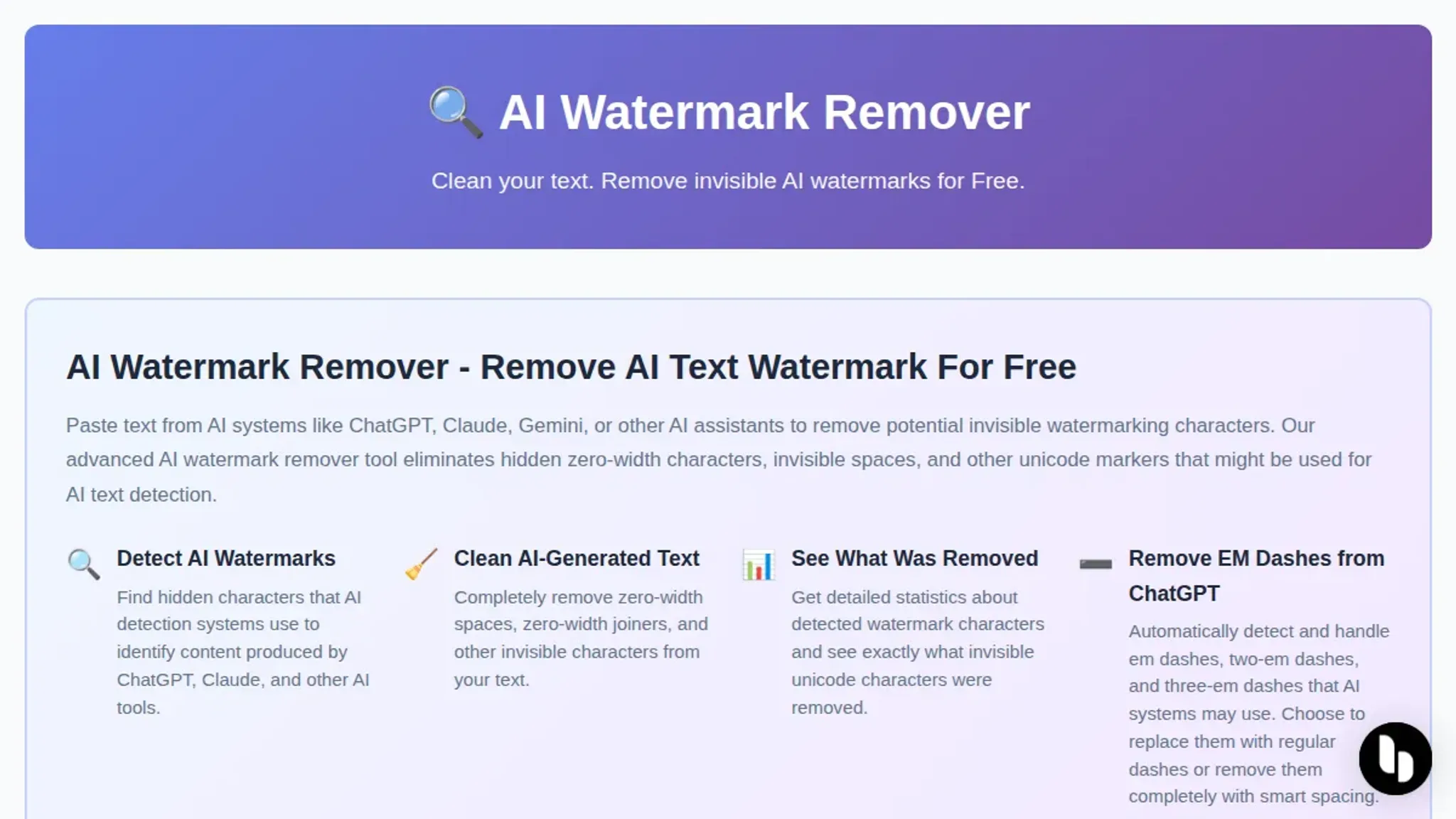
Expert tip: why the invisible watermark matters more than you think
> "With GPT Watermark-Remover, you can check in one click whether your text contains invisible watermarks, and if it does, remove them instantly."
That quote from a Reddit study tips thread gets at something most people miss. The invisible watermark isn't just a metadata tag. It is a pattern of zero-width characters and Unicode markers embedded directly into the text. Those characters survive copy-paste, survive reformatting, and survive being run through a spell checker.
They travel with the text wherever it goes.
The condition that changes the usual advice: if you are submitting work through a learning management system like Canvas or Blackboard, those platforms often strip visible formatting but leave invisible Unicode characters intact. A manual edit that removes every visible trace of AI output may still leave the watermark in place. A dedicated tool like AI Watermark Remover catches those hidden markers because it scans for the specific Unicode patterns that manual editing cannot see.

Sources and references
The comparisons and recommendations in this guide draw from publicly available discussions and tools that practitioners have shared online. Here are the key sources that informed the analysis:
- Reddit r/studytips discussion – Real student experiences with invisible AI watermarks and the workflow of checking and removing them in one click before submitting assignments
- Instagram demonstration by Sabrina Ramonov – Practical walkthrough of removing watermarks from ChatGPT, Claude, and Gemini text using a free browser-based tool
- Clean Paste tool – Example of a dedicated cleaning utility that strips hidden metadata and invisible characters from AI-generated text
- Gizmodo coverage of Claude watermark removal – Industry reporting on why users are seeking watermark removal tools and the specific mechanisms behind Claude's invisible markers
- Microsoft Community Hub discussion – Community comparison of free watermark removal options and what users actually report about their effectiveness
Frequently asked questions about removing AI watermarks for back-to-school
What is an invisible AI watermark?
An invisible AI watermark is a hidden marker embedded in text generated by tools like ChatGPT, Claude, or Gemini. It typically uses zero-width characters, Unicode control codes, or patterned punctuation that you cannot see when reading but that detection tools can identify. These markers are not visible formatting; they are deliberate signals that the text came from an AI model.
Can teachers detect AI watermarks in student work?
Yes, but only if they use a dedicated detection tool. A teacher reading a printed essay will not see or notice invisible watermarks. However, plagiarism checkers and AI detection services like GPTZero or Originality can scan for these hidden characters. The risk is highest when work is submitted digitally through platforms that run automated checks.
Does manual editing remove invisible watermarks?
Rarely. Manual editing removes visible text you can see and rewrite, but invisible watermarks are zero-width characters that do not appear on screen. You would need to paste the text into a character inspector or hex viewer to find them, then delete each one individually. For a single paragraph this is tedious but possible.
For a full essay or study guide, it becomes impractical.
How does AI Watermark Remover handle privacy?
The tool processes all text entirely in your browser. No text is sent to a server, stored, or logged. This means you can clean AI-generated study notes, lesson plans, or essay drafts without uploading them anywhere. The only data the site collects is standard analytics cookies, not your actual content.
Is removing AI watermarks against school policies?
That depends on your school's academic integrity policy. Removing an invisible watermark does not change the content of the text; it only strips hidden metadata. If your assignment requires original work, using AI to generate the content itself may violate policy regardless of whether watermarks are removed. The watermark removal tool addresses the technical marker, not the authorship question.
The bottom line for your back-to-school workflow
If you are cleaning AI-generated text more than once a week, AI Watermark Remover is the faster choice. Paste your text, click the button, and the invisible watermark characters are gone in seconds. No scanning, no manual deletions, no second-guessing whether you caught everything.
The one exception: if you are editing a single short paragraph and already plan to rewrite it heavily by hand, manual editing works fine. You will remove the watermark as a side effect of your normal edits.
For everything else, study guides, lesson plans, batch assignments, use the dedicated tool. Your next step: open AI Watermark Remover, paste your text, and let the tool handle the invisible cleanup so you can focus on the actual content.