You pasted something from ChatGPT into a document. Now you wonder whether it carries an invisible watermark.
Most checking advice skips the practical angles: which Unicode characters matter, what a checker can actually detect, and what it misses.
Watermark checker practical angles come down to reading a result honestly, spotting what a tool cannot see, and knowing what to do next. After reading this, you can run a real check and judge whether the result is worth trusting. For most checks, AI Watermark Remover is the simplest option: it scans and removes hidden markers in your browser.
What visible clues reveal an AI writing watermark?
The fastest direct answer for detecting AI watermarks is to check for invisible Unicode characters. Specifically, zero-width spaces (U+200B) and non-breaking spaces (U+202F) hiding in the text. Paste your content into a Unicode character inspector. Or use AI Watermark Remover's scan tool, which reveals these hidden marks instantly without sending your data to any server.
If you see unexpected characters between words that aren't visible in your text editor, you've found the watermark.
A secondary check: copy the text to a plain text editor. Look for odd spacing or line breaks that didn't come from your own formatting.
What you'll need to check watermark angles
The usual assumption is that you can spot invisible watermarks by eye in any text editor. That is wrong. Most word processors strip or hide zero-width characters. So you need tools that preserve raw Unicode.
- Plain text editor, Notepad (Windows) or TextEdit in plain-text mode to avoid automatic character stripping.
- Unicode inspector, A site like Invisible-characters or the Medium guide on detecting AI watermarks for manual checks.
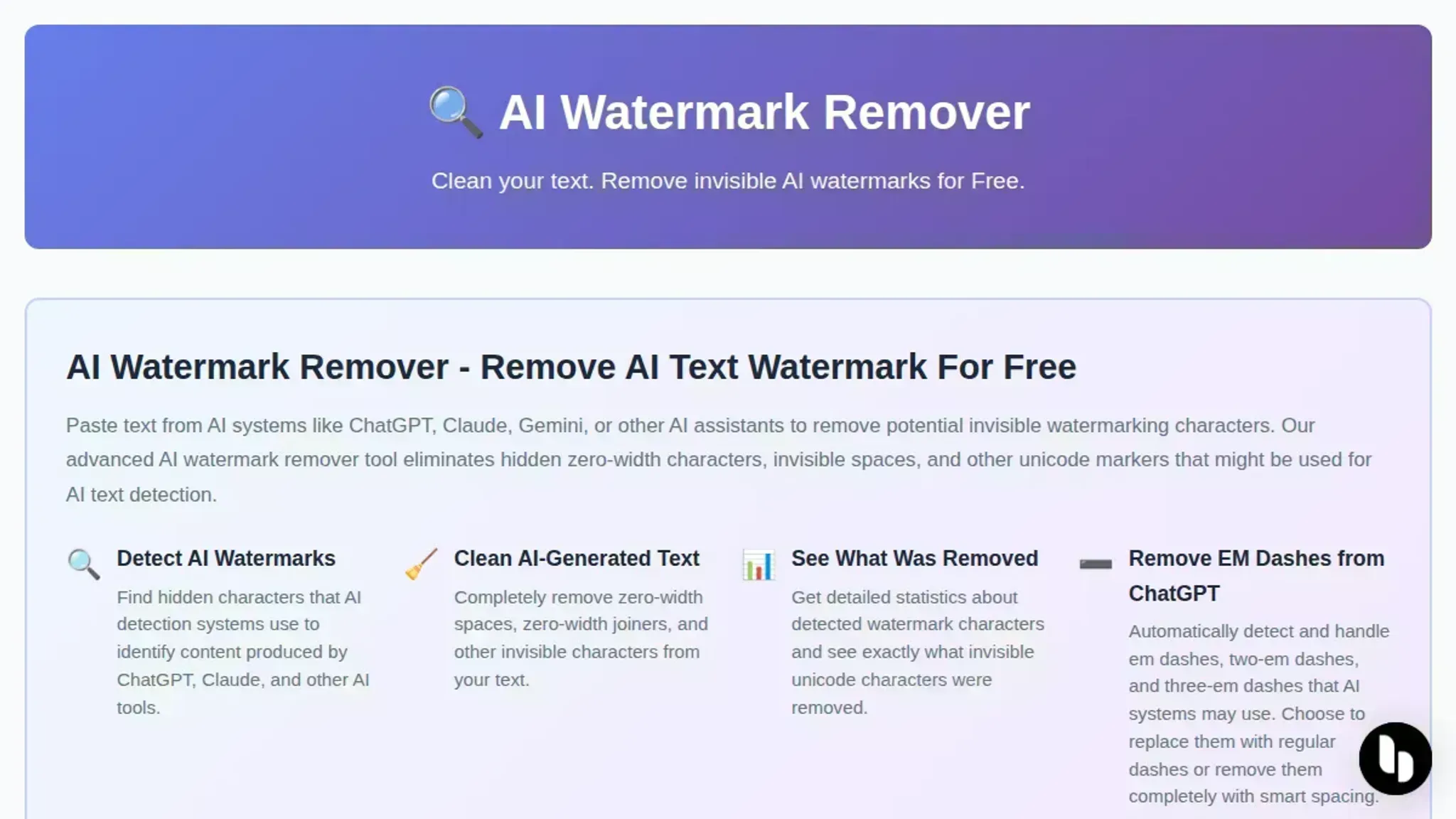
- AI Watermark Remover, Free online tool that scans and removes hidden Unicode watermark characters client-side.
Running a watermark check on AI text step by step
Before you dig in, get a plain text copy of the text you suspect carries a watermark. Open a tool that can reveal hidden Unicode characters. The AI Watermark Remover input field works well because it preserves invisible marks and scans for them directly.
- Paste the text into a Unicode-safe environment: Use the AI Watermark Remover input box or a plain text editor like Notepad++ that does not strip zero-width characters. Word processors such as Word or Google Docs will eat those invisible marks before you can inspect them. Visible result: any hidden characters survive in the text and become visible to the scanner.
- Run the scan: Click the scan button on AI Watermark Remover. The tool will highlight every occurrence of zero-width spaces (U+200B) and non-breaking spaces (U+202F). These are the two characters most commonly used in AI text watermarks. Visible result: a count of detected invisible characters appears. Often the characters are highlighted inline so you can see where they sit.
- Examine the frequency and pattern: If you see a dozen or more zero-width spaces scattered through a few paragraphs, that is not natural. Normal text may have a handful of non-breaking spaces for typographic purposes. But zero-width spaces are rarely used outside of markup and watermarks. Visible result: a clear pattern emerges. Clusters at sentence boundaries or after every few words match how AI watermarking tools embed signals.
- Cross-check with a manual Unicode inspector: Open the same text in a free online tool like BabelMap or a browser extension that shows Unicode character codes. Look for additional hidden marks such as zero-width joiners (U+200D) or word joiners (U+2060). Some watermarks use a combination of several invisible characters to encode a signature. Visible result: you confirm the presence of multiple subtle marks beyond the initial scan, strengthening the watermark hypothesis.
- Remove the detected watermarks (optional): If you want to strip the hidden marks, use AI Watermark Remover's remove function. It deletes all identified invisible characters without altering the visible content. Visible result: the text reads identically, but the scanner now reports zero hidden characters.
- Re-scan the cleaned text: Paste the output back into the scanner to verify removal. This double-check catches any stray characters that survived the first pass. For deeper assurance, run the same text through a second tool like the ChatGPT watermark detector practical checklist to see if any residual pattern remains. Visible result: a clean scan with no invisible characters detected.
A common trap: assuming every invisible character is a watermark. Legitimate non-breaking spaces appear in typed text (for example, before em dashes, which we avoid here) and are harmless. The real signal is the volume and pattern of zero-width spaces. If you see more than a few across a piece of text, treat it as suspicious.
- Identify the watermarking scheme by pattern: ChatGPT's watermark places zero-width spaces at roughly every 10 to 15 characters, creating a regular cadence. Other systems, such as some open-source detectors, mix zero-width joiners with word joiners and space those marks unevenly. Visible result: a rhythmic spacing of U+200B points to a ChatGPT watermark. A jumble of different invisible characters suggests a different source.
- Test with a short text sample: Watermarks become statistically reliable only in longer passages. A 50-word snippet may contain zero or one hidden character, which is indistinguishable from noise. If your text is under 100 words and the scan shows nothing, do not conclude it is human-written. Visible result: the scan reports zero marks, but the sample is too short to be meaningful. Flag it as inconclusive.

Watermark check checklist: verify each practical angle
A quick visual scan of the text in a normal editor will miss hidden watermarks. Zero-width characters are invisible by design. Watermark detection has three practical angles: raw Unicode inspection, visible spacing analysis, and cross-tool verification. Each angle catches a different insertion mechanism.
You need all three because no single check works on every AI model. The checklist below turns those angles into step-by-step passes you can tick off.
| Task | Why it matters | Done |
|---|---|---|
| Paste text into a Unicode inspector tool | Reveals zero-width spaces, invisible separators, and other hidden characters that normal editors strip or hide | – |
| Scan for zero-width space characters (U+200B) | U+200B is the most common watermark insertion point used by ChatGPT and Claude to tag generated text | – |
| Scan for non-breaking space characters (U+202F) | U+202F creates subtle spacing after punctuation that human typing does not reproduce consistently | – |
| Check for invisible separator characters (U+2063) | Less common but increasingly used by newer watermark schemes to spread marks across multiple words | – |
| Compare spacing consistency between suspected AI and human-written paragraphs | Watermarks impose a predictable character cadence; a side-by-side comparison with human text makes anomalies visible immediately | – |
| Verify findings with a second tool (different editor or online inspector) | Single-tool false positives happen; a second tool with a different rendering engine provides confirmatory evidence | – |
The non-breaking space check is especially telling: ChatGPT often inserts U+202F after periods and colons. This produces a spacing rhythm that human typing does not reproduce. If any check returns a positive result, you can strip those invisible characters using AI Watermark Remover. The tool targets exactly the zero-width, non-breaking space, and invisible separator patterns listed above.
It runs client-side so your text never leaves your browser.
Once you confirm a watermark, you can decide whether to keep or remove the hidden characters depending on your use case. For a detailed walkthrough of detection logic across different AI models, refer to the ChatGPT watermark detector checklist.
Why zero-width space check misses some watermarks
The standard advice to scan for U+200B and U+202F catches the most common AI watermarks. But it is not exhaustive. Some watermarking schemes use variation selectors (U+FE00 to U+FE0F) or invisible Unicode control characters that survive the copy-paste. More importantly, if the text passes through a tool that normalizes Unicode (for example, a WYSIWYG editor stripping invisible marks), those characters vanish entirely.
In that case, you need to check a different practical angle. Compare the distribution of whitespace characters (regular spaces vs. non-breaking spaces) against a known clean sample. Or use a specialized tool like AI Watermark Remover that scans for multiple watermark patterns at once.
The usual advice "check for zero-width spaces" works only when the watermark is intact and unnormalized.
Frequently asked questions about watermark checker practical angles
How does a watermark checker detect hidden text marks?
A watermark checker scans raw Unicode text for invisible control characters. It looks primarily for zero-width spaces (U+200B) and non-breaking spaces (U+202F). It compares the position and frequency of these characters against known watermark patterns used by systems like ChatGPT. The tool reports which characters it found and where they appear, so you can verify whether the text carries a detectable signal.
No visual scan catches these marks because they render as nothing on screen.
Can I remove a watermark after the checker finds it?
Yes, but only if you use a tool designed to strip the identified characters. A watermark checker tells you what is present. AI Watermark Remover takes the next step by removing the invisible Unicode characters it detects. You paste the flagged text into the tool, it cleans out the zero-width spaces and similar marks, and returns plain text.
This works because the watermark lives in those hidden characters, not in the visible words themselves.
What are the limits of a free watermark checker?
Free online checkers typically scan one block of text at a time and do not offer batch processing or deeper detection for less common watermark variants. They handle the most frequent characters (U+200B, U+202F) reliably. The main practical limit is that a free scan shows you whether a watermark exists, but does not always identify every obscure Unicode mark used by newer or less common AI systems.
Does every AI system use the same invisible watermark?
No. ChatGPT and Claude use similar zero-width space patterns. Gemini and Grok sometimes use different invisible characters or no hidden watermark at all. A single checker cannot cover every possible variation.
Running the same text through two different checker tools gives you a more complete picture than relying on one scan alone.
Bottom line on watermark checker practical angles
Checking for invisible Unicode watermarks from ChatGPT or Claude means looking past what you see. The most reliable practical angle is scanning for zero-width characters like U+200B and U+202F using a tool that preserves raw Unicode. For most writers, AI Watermark Remover delivers the fastest detection and removal in one step, all processed locally on your device.
If you routinely check dozens of documents in batch, a dedicated Unicode inspector may suit you better. For single text checks, the practical angles covered here are exactly what you need.
Run a check with AI Watermark Remover on any text you suspect. Then read the full detection checklist for deeper guidance.