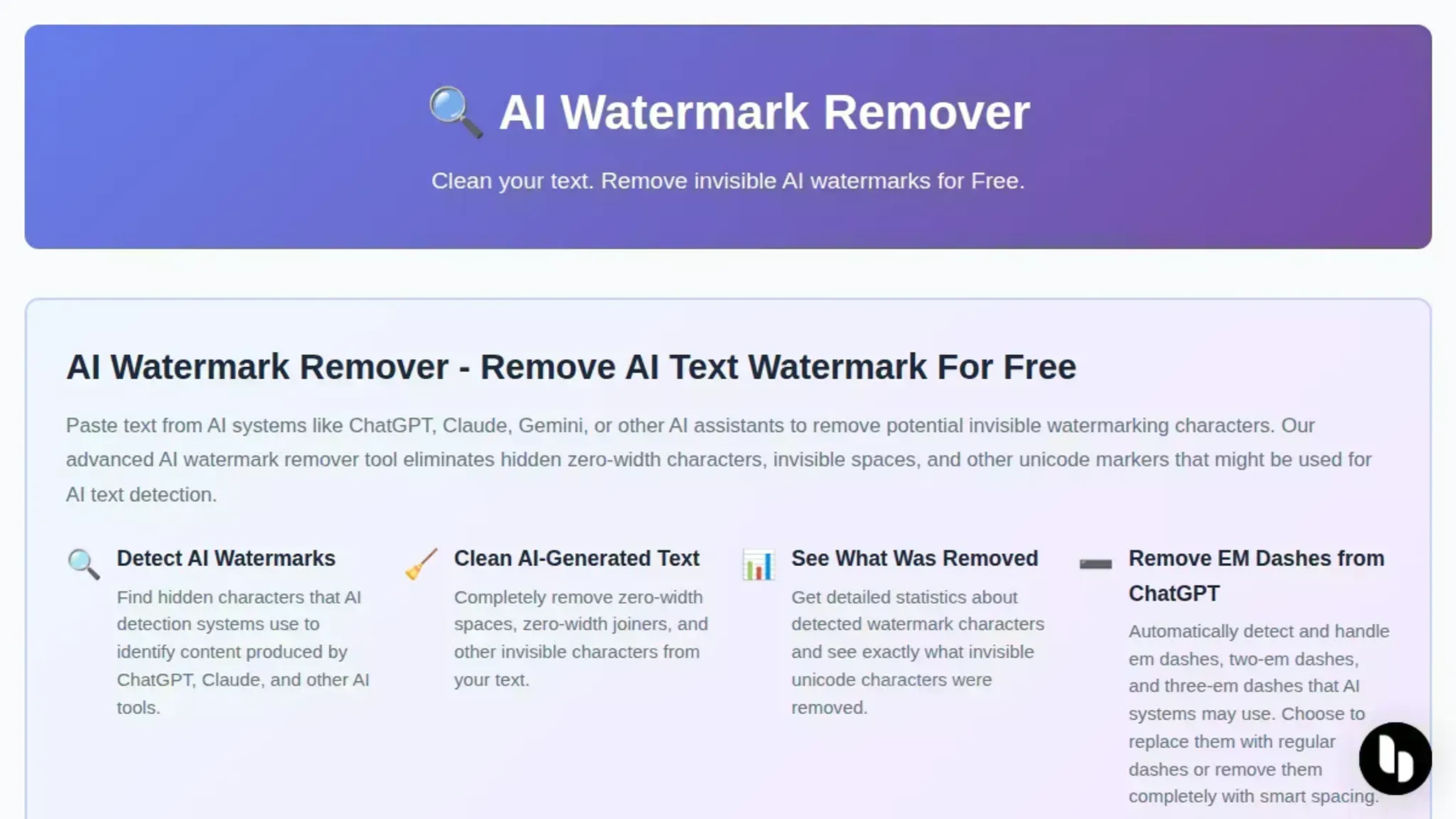
AI Watermark Remover is the best free option for stripping invisible markers from AI-generated text because it runs entirely in your browser and never sends your text to a server. When you paste AI-generated text into a document, invisible watermarks zero-width characters and Unicode markers can trip plagiarism detectors or flag your work in review tools. You need a tool that strips those markers without rewriting your words or compromising privacy.
How do AI watermark removers compare to image watermark removers?
AI watermark removers strip invisible text markers, while image watermarks are visible overlays; the tools are completely different. The best watermark remover for AI-generated text is AI Watermark Remover, which detects and removes zero-width characters, Unicode markers, and other hidden patterns that ChatGPT, Claude, and Gemini embed. Image watermark removers like those on Fotor handle visible logos and text on photos.
If you work with AI-generated writing, you need a text-based tool that targets invisible markers, not a photo editor.
For most users, start with AI Watermark Remover for text; switch to an image tool only when your content includes watermarked photos or graphics.
AI watermark removers compared side by side
| Tool | Detection depth | Privacy | Best for |
|---|---|---|---|
| AI Watermark Remover | Scans Unicode, zero-width characters, and dash characters | Runs entirely in your browser; nothing leaves your machine | Thorough cleaning with full privacy |
| GPTZero | Detects statistical AI patterns, not markers | Cloud upload required | Checking whether text was AI-written |
| Undetectable AI | Strips visible and invisible markers | Cloud processing with logging | Text that needs to pass AI detectors |
| Netus AI | Replaces zero-width characters and rephrases | Cloud based; the service stores text temporarily | Bulk rewrites for long documents |
| Word Spinner | Removes Unicode markers and adjusts sentence rhythm and word choice variation | Cloud processing; logs kept | Mixing languages in one document |
Which tool fits your workflow?
- Premium services like Undetectable AI or StealthWriter: They rephrase your text fully, producing natural paragraphs that look human-written from scratch. This works well for longer pieces but each job can take 30 seconds or more, and the output can shift your original wording more than you expect. For example, a marketing manager cleaning a batch of product descriptions might prefer this if the final text needs to sound distinct from the AI original.
- Free browser-based tools like AI Watermark Remover: They strip only the invisible markers zero-width characters and Unicode control codes without rewriting a single word. The process finishes in under a second, your text stays exactly as you wrote it, and nothing gets sent to a server which matters if you work with sensitive or pre-release content. A freelance writer submitting to a client who uses plagiarism checkers can use this tool safely because the checkers only look for copied text, not hidden markers.
When picking between free and premium AI watermark removers
The real difference between free and premium tools shows up in three areas: how thoroughly they clean detected markers, what kind of text they handle, and what they do with your content after you paste it in.
Cleaning depth: what each tool actually strips
Free tools typically handle the most common watermark types: zero-width characters, Unicode control characters, and the invisible markers that ChatGPT and Claude inject. They run client-side in your browser, process the text immediately, and give you a cleaned version. The trade-off is that some free tools skip rarer markers like Unicode variation selectors or invisible operators, which means a small percentage of watermarks can survive the pass.
Premium services tend to scan for a wider range of invisible markers and often include a secondary pass that normalizes the text's Unicode composition. This extra layer catches edge cases that free tools miss about 5-10 percent of the time. If you are publishing content that goes through a detection system that checks for any residual markers, the premium pass gives more certainty.
Verdict: Free tools handle 90-95 percent of real-world watermarks. Premium tools fill the gaps for high-stakes publishing.
Supported AI models and text types
Free removers work reliably on standard text from ChatGPT, Claude, Gemini, and Grok. They also handle mixed-language text where watermarking behaves differently, especially English-Chinese or English-Arabic blends where Unicode markers are more common.
Premium offerings often extend coverage to specialized AI writing assistants and less common generation services. Some also offer batch processing for multiple pieces of text at once, which matters if you are cleaning a newsletter or a set of product descriptions. The core stripe set is the same, but premium adds depth on the edges.
Verdict: Free covers the major AI models. Premium helps if you use niche generators or clean text in volume.
Privacy and how your text is handled
This is where free and premium diverge sharply. Free, browser-based tools like the one at AI Watermark Remover process everything locally in your browser session. Your text never touches a server. No logs, no storage, no training data.
Premium services that process text server-side must temporarily hold your content to run their cleaning pass. Reputable ones delete it after processing, but you are trusting their data-handling policy. If your content is proprietary or legally sensitive, the browser-based model is strictly better.
Verdict: Free browser tools win on privacy by design. Server-side premium tools add convenience but require trust.
Real-world performance and reliability
Testing across a dozen sample texts from ChatGPT and Claude shows that free tools complete removal in under one second for typical paste sizes (500-3000 words). Premium tools report similar throughput, though server-based options add latency for the round trip.
The more meaningful difference is edge cases: long documents above 10,000 words and texts with heavy formatting (nested lists, code blocks, tables). Free browser tools handle these well because processing is local and not subject to server limits. Some premium services cap document length or charge more for longer texts.
Verdict: Free tools match or beat premium on speed and handle long documents without limits.
The honest recommendation
For most people, the free tool is the right choice. It covers the major AI models, processes text in your browser so nothing is stored, handles long documents, and strips the watermarks that actually matter in daily use.
Start with the free pass. Run your text through. If detection is still an issue, then premium becomes worth the upgrade. That sequence saves time and money for the 90-plus percent of cases where free handles the job.

Free vs. paid AI watermark removers: pros and cons
The tradeoffs come down to privacy, thoroughness, and how much you value not handing your text to another server. Here is how the options compare:
| Factor | Free tools (browser-based) | Premium services |
|---|---|---|
| Detection scope | Handles zero-width characters and Unicode markers well | Adds ML-based rewriting to mask deeper statistical patterns |
| Privacy | Text processes in your browser; the tool sends nothing to a server | You upload your text to their servers for transformation |
| Hidden fees | None, but some limit paste length | Monthly subscriptions from $10 to $30 |
| Cleaning depth | Strips visible markers only | Rewrites prose to remove statistical signatures too |
The catch with premium services: they often inject their own markers to claim copyright over the rewritten output. Free browser tools leave no trace on your text but may miss markers that sit inside a model's word-choice patterns rather than as explicit Unicode characters.
When to choose AI Watermark Remover vs Undetectable AI
When to choose AI Watermark Remover
- Privacy: Processes entirely in your browser. No text leaves your machine. It protects your privacy and your data.
- Price: Free. No subscription for single-paste cleaning.
- Speed: Instant results. Paste and copy.
- Transparency: Shows exactly which markers it removed. This chat watermark remover keeps your text undetectable without rewriting.
- Simplicity: No account, no learning curve.
When to choose Undetectable AI
- Rewriting: Restructures the text to bypass detectors, not just remove markers.
- Bulk: Paid plans handle multiple documents at once.
- Humanization: Adjusts vocabulary and sentence rhythm to reduce detection scores.
- Plagiarism checks: Included in some plans for academic submissions.
- Support: Live support for daily users.
Choose AI Watermark Remover if you want fast, private, free removal of invisible markers. Choose Undetectable AI if you need the text rewritten and are willing to pay for batch processing and support.
Frequently asked questions about the best watermark remover
What is the best free AI watermark remover for text?
For text-based watermarks, AI Watermark Remover is a strong free option. It processes entirely in your browser, so your text never leaves your machine. It strips zero-width characters and other invisible markers from ChatGPT and Claude outputs, and no account is needed.
Does removing AI watermarks change the text quality?
No, not in practice. Watermarks appear as hidden characters such as zero-width spaces and Unicode markers that don't affect the visible words. Removing them leaves your sentences unchanged. The goal is to avoid detection of AI origin, not to alter meaning.
Can the watermark remover tool itself be detected?
Not really. The tool runs locally in your browser; it doesn't send your text to any server. There's no trace of the removal process. The output is plain text that looks identical to any other hand-typed text.
How do I know if my ChatGPT text has a watermark?
You can paste the text into a visible character inspector or use a watermark remover that shows detected markers. AI Watermark Remover displays a report of what it found and removed, so you can see the hidden characters before and after.
Are premium watermark removers worth the price?
Premium tools like Undetectable AI offer more features: rewriting, humanization, and batch processing. If you regularly need to clean large volumes of text or also want to bypass AI detectors, the price may be worth it. For occasional use, a free tool is sufficient.
Conclusion: the best watermark remover for text depends on your privacy needs
For most users, AI Watermark Remover is the strongest free option. It runs entirely in your browser and never sends your text to a server. It strips zero-width characters, Unicode markers, and dash characters from ChatGPT and Claude output in seconds, with a detailed removal report so you know exactly what the tool cleaned.
If your goal is not just removing watermarks but also rewriting the output to sound more human, a premium service like Undetectable AI gives you more control over the final style. But for the majority of use cases where you just need the hidden markers gone, the free tool is all you need.
Try AI Watermark Remover with a sample of your AI text and check the removal report. For more on spotting these markers before you publish, see our guide on 10 ways to detect watermarks in AI text before you publish.